Tracking a student’s life isn’t just about making sure they’re fed or that they have clean socks. It is about the grades. The attendance records. The exam schedules that seem to pile up overnight. For parents and guardians, staying in the loop can feel like a full-time job if you don’t have the right tools.
The Ministry of National Education (MEB) in Turkey recognized this headache a long time ago. They didn’t just want to hand out report cards once a semester. They wanted real-time visibility. That is where the e-Okul Veli Bilgilendirme Sistemi (VBS) comes in. It is a web-based software platform designed specifically to bridge the gap between school administration and home life.
Think of it as a digital dashboard for your child’s academic journey. Instead of waiting for a parent-teacher conference or a physical paper trail, you have access to critical data right from your browser. This system provides updates on academic performance, daily attendance logs, and detailed exam results. It is built for three main users: students, teachers, and parents. But for most families, it is the parents who benefit most from the transparency it offers.
Why the VBS Matters for Modern Families
You might wonder why a digital system is necessary when you could just call the school office. The answer lies in convenience and accuracy. Human memory is fallible. Paper records can get lost or misfiled. The e-Okul Veli Bilgilendirme Sistemi centralizes all this information in one secure location.
When you log in, you aren’t just seeing a grade. You are seeing a pattern. Did your student miss three days in a row during math week? Is their score dropping specifically in science but holding steady in language arts? These insights allow for early intervention. You can talk to your child before a small problem becomes a semester-ending crisis.
The system is particularly useful for:
- Monitoring Attendance: See exactly which days your student was absent or tardy.
- Tracking Exam Scores: View results from unit exams, final exams, and other assessments.
- Checking Academic Performance: Get a clear picture of their overall standing in each subject.
How to Navigate the System
Accessing the e-Okul Veli Bilgilendirme Sistemi is straightforward, but it does require the right credentials. Typically, the school administration generates these accounts. If you are a new parent, you might need to contact your child’s school directly to request your login details.
Once you have your username and password, the process is simple. You visit the official MEB portal for the VBS. You enter your credentials. And then, the data appears.
The interface is designed to be intuitive. You can filter information by semester, by subject, or by specific exam type. This flexibility is crucial. A parent might want to see how their child performed on the mid-term math exam, while another might be more interested in their attendance record for the entire year. The system handles both requests without friction.
Who Should Be Using This?
This isn’t just for anxious parents. Students themselves can use the e-Okul Veli Bilgilendirme Sistemi to check their own progress. It fosters
Tracking Academic Performance Through e-Okul VBS
The e-Okul VBS platform serves as the digital backbone for student records from initial registration through to graduation. It is not just a database; it is the primary interface where public and private primary and secondary schools manage their daily operations. If you are looking for specific details on how this system handles everything from exam results to document issuance, understanding its core functions is essential for parents and students alike.
Why This System Matters for Daily Tracking
The primary value of e-Okul VBS lies in its ability to provide real-time visibility into academic progress. For parents, the old method of waiting for term reports is replaced by continuous monitoring. You can log in to check attendance records, see which days a student was absent or late, and review their overall academic standing. This transparency allows for timely intervention if a child is falling behind or struggling with attendance.
The system also streamlines communication regarding coursework. Students can view assignments given by teachers and access lists of required reading materials directly through the portal. Teachers input data such as grades, absence notes, and exam schedules, which then becomes instantly available to authorized users. This reduces the lag time between an event in the classroom and awareness at home.
Who Can Access the Platform?
Access is tiered to ensure data privacy and operational efficiency:
- Students can view their own grades, homework, and schedules.
- Teachers enter grades, manage attendance, and upload resources.
- Parents/Guardians monitor attendance, grades, and general school communications.
- School Administrators handle registration, preferences, and official documentation.
By centralizing these tasks, the system minimizes administrative errors and ensures that all stakeholders have access to the same verified information. Whether it is checking a recent test score or verifying a certificate, the process is digitized and immediate.
Accessing the Student Portal: A Step-by-Step Guide
Logging into the e-Okul VBS (Student Information System) as a student is straightforward, but you need to follow the specific steps to ensure you don’t hit a wall. Start by opening your preferred web browser and navigating directly to the Ministry of National Education’s official page for the E-Okul Veli Bilgilendirme Sistemi.
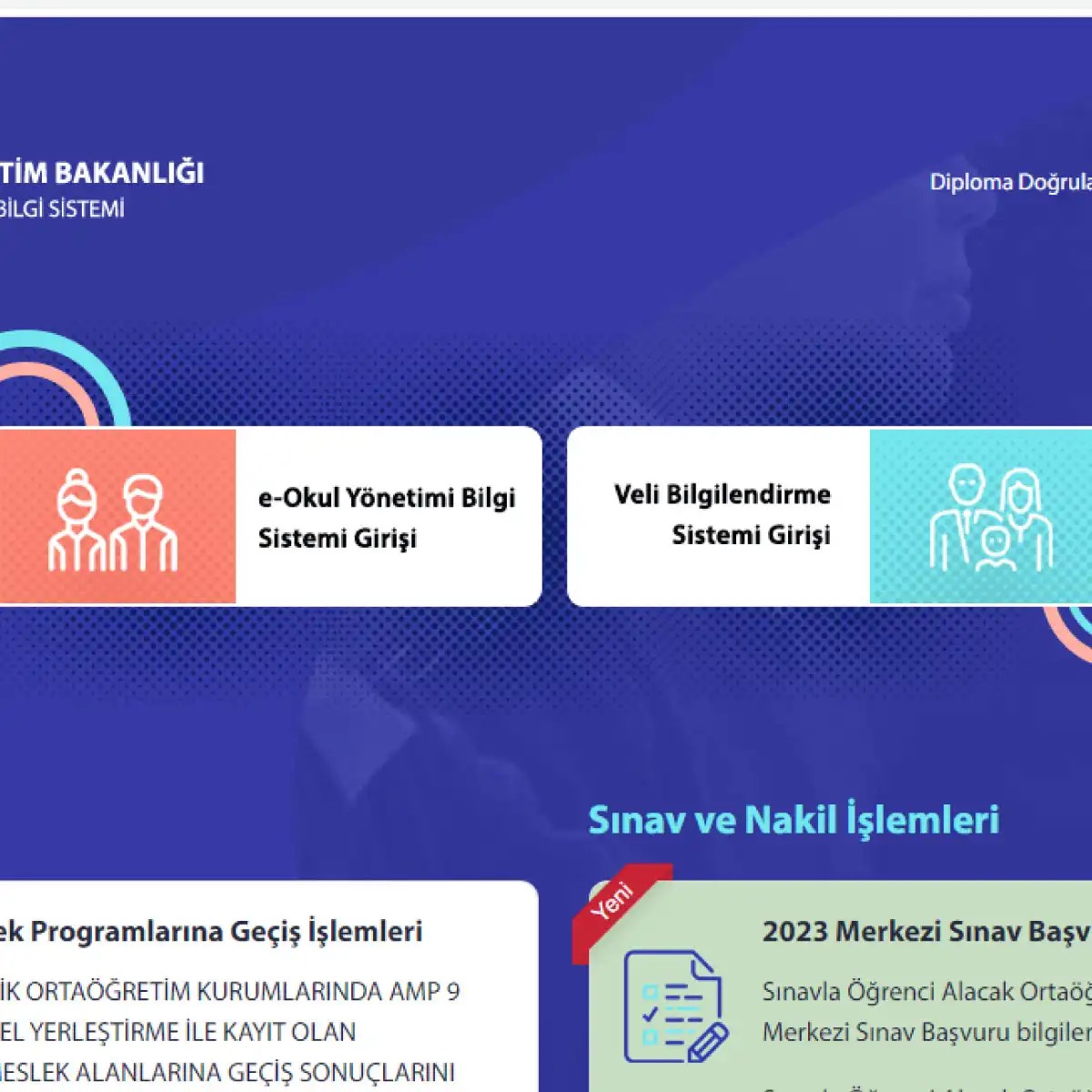
Once the page loads, you’ll see two distinct options staring you in the face. There is the general “E-OKUL YÖNETİM BİLGİ SİSTEMİ” and the “VELİ BİLGİLENDİRME SİSTEMİ.” Since you are a student trying to check your grades or attendance, you must click on E-OKUL YÖNETİM BİLGİ SİSTEMİ. This is the specific gateway for student data, not the parental notification board.
The next screen will likely throw a security challenge at you: a CAPTCHA box. You will see a distorted image with random numbers or letters. Type them exactly as they appear. If you squint and still can’t read it, don’t guess. Refresh the page. The image changes, giving you a fresh, clearer set of characters to enter.
Now, for the credentials. In the first field, input your 11-digit T.C Kimlik Numarası (Turkish Identity Number). This is the long string of digits issued at birth; it’s unique to you and doesn’t change. In the next field, labeled Öğrenci Okul Numarası, enter the specific ID number assigned to you when you registered at your school. This number is unique to your enrollment and distinguishes you from other students with the same name in the same district.
Double-check that every digit is correct. Then, click the Giriş (Login) button. If the data matches the school’s central database, you will be redirected to your personal dashboard.
What You Can Actually Do Inside the System
Once you’re logged in, the e-Okul VBS panel isn’t just a digital mirror of your report card. It is a functional platform where students, parents, and teachers interact with academic data. Understanding what tools are available here helps you stay on top of your education rather than waiting for paper notices.
Here is a breakdown of the key functions accessible through the system:
- Academic Tracking: You can view detailed grade entries and track your progress throughout the term. This includes midterm and final exam results.
- Attendance Monitoring: The system logs your absences. Checking this regularly ensures there are no surprises when the school year ends.
- Exam and Preferences: For older students, this is where exam information and university placement preferences (tercih) are managed and submitted.
- Official Certificates: You can access and download official documents such as honor certificates (onur belgesi), commendation certificates (taktir belgesi), and thanks certificates (teşekkür belgesi).
- Scheduling: The weekly class schedule (ders programı) is updated here, so you always know which teacher is teaching which subject on which day.
- Reading Logs: Students can record and track books they have read, a requirement for certain educational initiatives.
- Report Cards: You can view your electronic
e-Okul VBS’den Karne Nasıl Alınır?
Karne, öğrencinin akademik yolculuğunu özetleyen, notların ve başarının somutlaştığı bir belgedir. e-Okul VBS’den karne görüntüleme işlemi, velilerin ve öğrencilerin bu tabloyu dijital ortamda takip etmesini sağlar. Süreç basit ama detaylara dikkat gerektirir.
Adımları şu şekilde izleyebilirsiniz:
-
Sisteme giriş yaptıktan sonra, öğrencinin hesabına ulaşırsınız. Ana sayfa genellikle net bir şekilde tasarlanmıştır. “Karne” veya “Notlar” başlıklı bir sekmeye tıklamanız yeterlidir.
-
Bu sekmeye girdiğinizde, güncel döneme ait veriler karşınıza çıkar. Listede ders isimleri yer alır. Sınav notları, sözlü değerlendirme sonuçları, proje puanları ve dönem sonu notları tek bir ekranda toplanır.
-
Detaylara inerseniz, sadece kendi notunuzu değil; sınıf ortalamalarını, dönemdeki başarı durumunuzu ve devamsızlık kaydınızı da görebilirsiniz. Bu veriler, akademik performansı daha bütüncül bir açıdan değerlendirmenize olanak tanır.
-
Bilgileri satır satır okuyun. Zayıf ve güçlü yönlerinizi belirlemek, sadece notlara bakarak değil, bu detaylı tabloyu analiz ederek mümkündür.
Ne zaman erişebilirsiniz?
Genellikle karne bilgileri dönem sonunda yayınlanır. Sınavlar ve değerlendirme süreçleri tamamlanmadan veriler güncellenmez. e-Okul VBS üzerinden erişim mümkün hale geldiğinde, sisteme tekrar giriş yapabilirsiniz.
Karne bilgilerine erişmek için belirli tarih aralıklarını kontrol etmek önemlidir. Erken giriş yapmak, verilerin henüz yüklenmemiş olmasından kaynaklanan hayal kırıklığını önler.
Veliler için bu süreç, çocuğun ilerlemesini takip etmenin en doğrudan yoludur. Öğrenciler için ise kendi emeklerinin sonuçlarını görmek, motivasyon açısından kritik bir anıdır. Notlar değişebilir. Ama takip etmek, her zaman farkındalık sağlar.